MENUMENU
  • Board
    • Find a School
    • Contact Us
    • Site Map
  • Students
    • Edsby
    • Office 365
    • Virtual Library
    • LMS
    • Clever
  • Parents
    • Parent Portal
    • Bus Delays/Cancellations
    • School Cash Online

Near North District School Board

MENUMENU
  • Go to homepage
  • Schools
        • Find Your School
        • District Map
        • How do I Register?
        • Contact Us
  • Programs
        • Programs

        • Adult and Alternative Education
        • Adult English as a Second Language
        • e-Learning
        • English as a Second Language
        • Equity and Well-Being
        • Extended French
        • French Immersion
        • Indigenous Education
        • Kindergarten
        • Mathematics for Families
        • Programs (cont.)

        • Mental Health Resources
        • Mental Health Support Services
        • Safe and Accepting Schools
        • Special Education
        • Summer School
        • Specialized Programs

        • Arts Nipissing
        • Dual Credits
        • International Baccalaureate
        • Ontario Youth Apprenticeship Program
        • Near North Sports
        • Personal Support Worker (PSW)
        • Specialist High Skills Major
        • STEAM Program
  • Parents
        • General Information

        • Diploma Requirements
        • Indigenous Student Self-Identification
        • P.A. Activities
        • School Calendar
        • Stay informed
        • Student and Family Support Office
        • Xello Parent
        • Pages

          • #25299 (no title)
          • #25301 (no title)
          • #47731 (no title)
          • #34851 (no title)
          • _Deb_test_page_001
          • _Frank’s Test Page 2
          • _josh_test_pag3
          • _Josh’s Test Page
          • _Saved Widgets
            • Homepage Slider
          • Accessibility Status by School
          • Administrative Guideline – Acceptable Use
          • Administrative Guideline – Accessibility Standards for Customer Service – Use of a Support Person by the General Public
          • Administrative Guideline – Accessibility Standards for Customer Service – Use of Assistive Devices by the General Public
          • Administrative Guideline – Accessibility Standards for Customer Service – Use of Service Animals by General Public
          • Administrative Guideline – Accessibility Standards for Customer Service Monitoring and Feedback on Accessible Customer Standards
          • Administrative Guideline – Accessibility Standards for Customer Service Notification of Disruption of Service
          • Administrative Guideline – Accounting for Non-Board School Based Funds
          • Administrative Guideline – Adult Education
          • Administrative Guideline – Advertising and Distribution in Schools by Outside Organizations
          • Administrative Guideline – Advertising by the Board and Schools
          • Administrative Guideline – Annual Reporting of Student Achievement
          • Administrative Guideline – Assessment Evaluation and Reporting Guideline Grades 1-12
          • Administrative Guideline – Communicating with the Media
          • Administrative Guideline – Corporate Identity
          • Administrative Guideline – Criminal Reference Checks and Certificate of Non-Criminal Record
          • Administrative Guideline – Custody Protocol
          • Administrative Guideline – Early Identification Program
          • Administrative Guideline – Electronic Meetings
          • Administrative Guideline – Employee and Student Communication through Social Networking or Electronic Media
          • Administrative Guideline – Environmental Education
          • Administrative Guideline – Equity and Inclusive Education
          • Administrative Guideline – Extended French
          • Administrative Guideline – Freedom of Information: Staff and Students
          • Administrative Guideline – French as a Second Language – Core French – Elementary
          • Administrative Guideline – French Immersion
          • Administrative Guideline – Fundraising
          • Administrative Guideline – Grant Program
          • Administrative Guideline – Health and Safety Policy Statement
          • Administrative Guideline – Health and Safety: Workplace Harassment Policy Statement
          • Administrative Guideline – Health Support Services – Physical and Medical Procedures
          • Administrative Guideline – Home Schooling
          • Administrative Guideline – Human Rights
          • Administrative Guideline – Identification of Students for School-Related Activities
          • Administrative Guideline – Implementing and Communicating Ministry Policy on the Grading of Students
          • Administrative Guideline – Incidents of Abuse and Neglect of Students Over 16 Years of Age
          • Administrative Guideline – Incidents of Abuse and Neglect of Students Under 16 Years of Age
          • Administrative Guideline – Interim Health and Safety: Violence in the Workplace
          • Administrative Guideline – Joint Use Agreements
          • Administrative Guideline – Library: Challenged Materials
          • Administrative Guideline – Library/Libraries: Materials Selection Policy for School Libraries
          • Administrative Guideline – Monitoring and Reporting Student Attendance
          • Administrative Guideline – Naming/Renaming of Schools
          • Administrative Guideline – Noon Hour Supervision
          • Administrative Guideline – Ontario Student Record (OSR)
          • Administrative Guideline – Pediculosis Management
          • Administrative Guideline – Playgrounds
          • Administrative Guideline – Program Standards
          • Administrative Guideline – Property Rights of Board Generated Materials
          • Administrative Guideline – Property Rights of Board Generated Materials
          • Administrative Guideline – Receipts and Disbursements of a Registered Charity
          • Administrative Guideline – Records Information Management
          • Administrative Guideline – Relationship Between the Near North District School Board and the Secondary Athletic Associations
          • Administrative Guideline – Religious Accommodation
          • Administrative Guideline – Safe Schools: Bullying Prevention and Intervention Plan Effective
          • Administrative Guideline – Safe Schools: Consultations and Definitions
          • Administrative Guideline – Safe Schools: Tobacco Free Environment
          • Administrative Guideline – Scholarship and Bursaries
          • Administrative Guideline – School Based Process For Data Collection for the ENDS Policies
          • Administrative Guideline – School Closure/Power Interruptions/Plant Disruptions/Bus Cancellations
          • Administrative Guideline – School Council and Member Liabilities
          • Administrative Guideline – School Council Forum
          • Administrative Guideline – School Councils
          • Administrative Guideline – School/Children’s Aid Society Protocol
          • Administrative Guideline – Student Conduct: Management Guideline with Appendices
          • Administrative Guideline – Student Registration Form
          • Administrative Guideline – Supervised Alternative Learning (SAL)
          • Administrative Guideline – Transportation: School Bus Accident Procedures
          • Administrative Guideline – Trillium List of Approved Textbooks
          • Administrative Guideline – Use of Board Meeting Rooms for Board and Staff Related Business
          • Administrative Guideline – Use of Microwaves in the Classroom
          • Administrative Guideline – Video Surveillance
          • Administrative Guideline – Video Use and License Guideline
          • Administrative Guideline – Virtual Libraries
          • Administrative Guideline – Workplace Harassment Guide
          • ADMINISTRATIVE GUIDELINE – ENGLISH AS A SECOND LANGUAGE
          • Administrative Guideline-Curriculum, Business Operations and Corporate Committees – Roles and Responsibilities
          • Administrative Guidelines – Suggested Homework Practices
          • Administrative Guidelines – Weather Conditions and Outside Recess
          • Adult and Alternative Education
          • Adult Dual Credits
          • Adult Education – PLAR
          • Adult Education OYAP
          • Adult Education Self-Study
          • Alternative and Adult Education
          • Applications Status
          • Ask a Librarian
          • Available Space: Partner information
          • Blog
          • Board
            • Board and Trustee Committee Meetings
            • Board Committees
            • Board of Trustees
            • Canadian Anti-Spam Legislation (CASL) and the Near North District School Board
            • Director’s Annual Report
            • Executive Compensation Plan
            • Trustee Distribution Map
            • Violence and Harassment in the Workplace
            • Contact Us
            • ​Accessibility
            • Employment Opportunities
            • Energy Management
            • Board of Trustees
            • District Map
            • Board Governance
            • Finance Committee
            • Education Committee
            • Finance/Education Committee of the Whole
            • Parry Sound Building Committee
            • Accommodation Committee
            • North Bay Building Committee
            • Capital Plan Committee
            • Policy Committee
            • Strategic Plan Committee
            • Senior Leadership Team
            • Administrative Guidelines
            • Finance and Budget
            • Budget & Budget Meetings
            • Tenders & RFPs
          • Board and Committee Meetings Archive
          • board and trustee committee meetings
          • Brightspace for Parents
          • Capital Planning Updates
          • Chrome Extension Privacy Policy
          • Communications
          • Communications – Draft
          • Community
            • Capital Planning
            • Community use of Schools
            • Community Use Rules
          • Community Voices
          • Concussion Resources
          • Cooperative Education
          • Derek Test Homepage
          • Director’s Annual Report 2016-2017
          • Documents for Education
          • Dreambox Support Resources
          • Edsby Parent Login
          • Edsby Parents
          • Edsby Student Login
          • Edsby Students
          • EQAO
          • Find Your School
          • FOI and Transcripts
          • Freedom of Information and Transcripts
          • Health Unit Updates
          • Home
            • Newsroom
          • Home page draft
          • https://can01.safelinks.protection.outlook.com/?url=https%3A%2F%2Fwww.nearnorthschools.ca%2Fwp-content%2Fuploads%2F2020%2F03%2F4-Standardized-Ventilation-Measure-Report-2023-NNDSB-Public-Report.xlsx&data=05%7C02%7CBrett.Hanson%40nearnorthschools.ca%7C7380829404064e15c66908dc84a89a1d%7C89caa3b007f246b9b750e973168b6c4e%7C0%7C0%7C638531106906355124%7CUnknown%7CTWFpbGZsb3d8eyJWIjoiMC4wLjAwMDAiLCJQIjoiV2luMzIiLCJBTiI6Ik1haWwiLCJXVCI6Mn0%3D%7C0%7C%7C%7C&sdata=sPOXABFvxHqzieTixpSCzZxRmJ67t09tOmVpuaDeSpk%3D&reserved=0
          • https://www.nearnorthschools.ca/programs/equity-well-being/equity-and-inclusive-education
          • https://www.nearnorthschools.ca/schools/registration/
          • https://www.nearnorthschools.ca/wp-content/uploads/2024/12/School-Renewal-Investment-Report-2023-2024-SY-Public.pdf
          • In The Works: inside the NNDSB
          • inspire2018
          • International Students
          • Josh_test_page_18_
          • JOsh_test_page_19_
          • Josh_test_page_four
          • Labour Updates for Families
          • Learning at Home
          • Letters to Families
          • Looking Ahead: 2021-22
          • Mathematics and Indigenous Learners
          • Mathematics for Families
          • Media Contact
          • Media Releases
          • Mental Health Resources
          • Multi-Year Strategic Plan
          • Near North 21
          • New Build on Fricker Site
          • new page template
          • NNDSB Shared News
          • North Bay Secondary Schools Consolidation
          • P.A. Activities
          • Parent Portal
          • Parents
            • Character Education
            • Childcare
            • Indigenous Education
            • Parent Involvement
            • Special Education
            • Student Learning Resources
            • Student Tracker
            • Transportation
            • Xello Parent
          • Parry Sound School Questions & Answers
          • Personal Support Worker
          • Positive Mental Health
          • Powerschool Breach
          • Professional Learning Webinars
          • Programs
            • Adult Continuing Education
            • Adult English as a Second Language
            • e-Learning
              • Blended Learning
              • Course Calendar
              • Registration Information
              • Virtual Learning Network
            • Elementary
              • Dreambox Learning
              • Literacy
              • Summer Learning Programs
            • English as a Second Language
            • Equity and Well-Being
              • Equity and Well-Being
              • Healthy Schools
              • Positive Mental Health
                • Mental Health and Addiction Strategy
                • Mental Health Services Support Team
                • Resource Links
                • Service Pathways to Care
                • Social Emotional Learning Programs
                • Suicide Prevention and Intervention
              • Safe and Accepting Schools
            • French Immersion
              • Extended French
            • Health and Physical Education Curriculum
            • Indigenous Education
              • Advisory Circles
              • Anishinaabemowin
              • Community Partners in Indigenous Education
              • Culturally Responsive Practices
              • Days of Recognition
              • Educational Resources
              • Elders / Artists in Residence
              • First Nation Community Partners
              • Indigenous Student Self-Identification
              • Indigenous Studies Courses
              • Indigenous Youth Groups
              • Local Land Acknowledgements
              • NNDSB Resources and Events
              • The Kinoomaadziwin Education Body
              • Treaties Recognition Week
              • Truth and Reconciliation
          • Records, Privacy & Information Access
          • REEL Writers – A Summer Learning Program
          • Remote Learning
          • School Board Elections
          • School Climate Survey
          • School Directory
          • School Year Calendar 2018-2019
          • School Year Calendar 2019-2020
          • School Year Calendar and Important Dates
          • School Year Calendar draft
          • Schools
            • Alternative Education
            • Early French Immersion
            • Extended French
            • How do I Register?
            • Kindergarten
              • Parent Links
              • Registration
              • Supporting Languages
              • The Kindergarten Program
          • Simplified Login
          • Site Map
          • Skills at Work
          • Social Media at NNDSB
          • Social Studies and History
          • Specialist High Skills Major
          • Stay informed
          • Student and Family Support Office
          • Student Link Unavailable
          • Student Support Site
            • Student iPad
            • studentmacbook
          • Student Voice
            • Student Voice: Achievement and Accomplishment Content
            • Student Voice: Art and Logo Content
            • Student Voice: How to get Involved
            • Student Voice: Miscellaneous Content
            • Student Voice: Photo Content
            • Student Voice: Video Content
            • Student Voice: Written Content
          • Students
            • Blended Learning
            • Click for Success
            • Diploma Requirements
            • Dual Credits
            • Learn 360
            • Ontario Education Resource Bank
            • Ontario Youth Apprenticeship Program
            • Student Portal
            • Student Resources
            • Student Trustee Senate
            • Suggested Homework Practices
            • Summer School
            • Transcripts
            • TVO Mathify
            • Xello
          • Testing
          • The Circulation Desk – Parry Sound Intermediate and High School
          • The Wizard of Oz
          • This is Me
          • This Is Us!
          • TOROS TICKETS ON SALE NOW !
          • Treaty Recognition
          • Truth and Reconciliation
          • Ventilation Report
          • Virtual Library
            • Elementary Virtual Library
            • Elementary VL Sandbox
              • Virtual Library Tutorials
            • Secondary Virtual Library
              • Citations – Secondary Virtual Library
              • Create and Collaborate
              • Equity and Inclusion
              • French Language Resources – Secondary Virtual Library
              • Health and Wellness Resources
              • Indigenous Education Resources – Secondary Virtual Library
              • Read – Secondary Virtual Library
              • Research – Secondary Virtual Library
              • Tutorials and Homework Help
              • Watch – Secondary Virtual Library
            • Secondary VL Sandbox
          • Voluntary Self Identification
          • West Nipissing schools configuration
          • Who should I talk to?
          • Who Should I Talk To?
          • Who should I talk to? – Draft
        • Starting at NNDSB

        • Childcare & School-Aged Programs
        • Parent Involvement
        • School Registration
        • Transportation
        • Login

        • Manage My Account
        • Parent Portal
        • School Cash Online
        • Edsby
  • Board
        • Administration

        • Board and Committee Meetings
        • Board Governance
        • Board of Trustees
        • Director’s Annual Report
        • Multi-Year Plan
        • Senior Leadership Team
        • Operations

        • Capital Planning
        • Finance and Budget
        • Tenders & RFPs
        • Ventilation Report
        • School Renewal Investment Report
        • Staff Portal
        • General Information

        • ​Accessibility
        • Administrative Guidelines
        • Community Use of Schools
        • Concussion Resources
        • Energy Management
        • Safe and Accepting Schools
        • FOI and Transcripts
  • Learning Resources
        • Clever
        • Copyright Decision Tool
        • Edsby
        • Brightspace LMS
        • Passport to Learning
        • Learn 360
        • Manage my Account
        • Microsoft Teams
        • Ontario Education Resource Bank
        • Office 365 Apps
        • Office 365 Mail
        • TVO Mathify
        • Virtual Library
        • Xello
        • Safe Workplace Training
  • Communications
        • About Communications
        • Social Media at NNDSB
        • Media Contact
        • Media Releases
        • Blog
  • Join Our Team
  • Staff

Student iPad

NNDSB home page

Student iPads

Learning at Home Device Support


This site will help you connect your device and provide supports for accessing educational resources.  Learn how to access Microsoft applications, activate the accessibility features on your iPad and launch various learning platforms through Clever.

Getting Started

Connecting your iPad:

  • Press and hold the power button until an apple appears on the screen. The iPad will finish starting.
  • Open Settings

Apple setting icon

  • Select Wi-F
  • Locate your router.
  • Select your router and enter the password
  • You now have Wi-Fi

Download the Learning at Home: MacBook Support Document to learn more about connecting to a network.

Student Passwords

To help keep your NNDSB account and the information accessible from your account secure, a password policy is applied for students.  While changing passwords may be inconvenient, it helps reduce the risk of exposure and avoids a number of other dangers.
Learn More Here

Password Criteria:
JK - Grade 3:
- Password must be at least 3 characters long
- Good for 2000 days

Grades 4 - 6
- Password must be at least 4 characters long
- Cannot be the same as the last 2 passwords
- Good for 2000 days

Grades 7 - 8
- Password must be at least 6 characters long
- Cannot be the same as the last 2 passwords
- Good for 365 days

Grades 9 - 12
- Password must be at least 8 characters long
- must contain at least 1 character from 3 of the following 4 categories:
- uppercase letters (A-Z)
- lowercase letters (a-z)
- numbers (0-9)
- special characters (e.g. ! @ # $ %)
- Cannot be the same as the last 2 passwords
- Good for 365 days

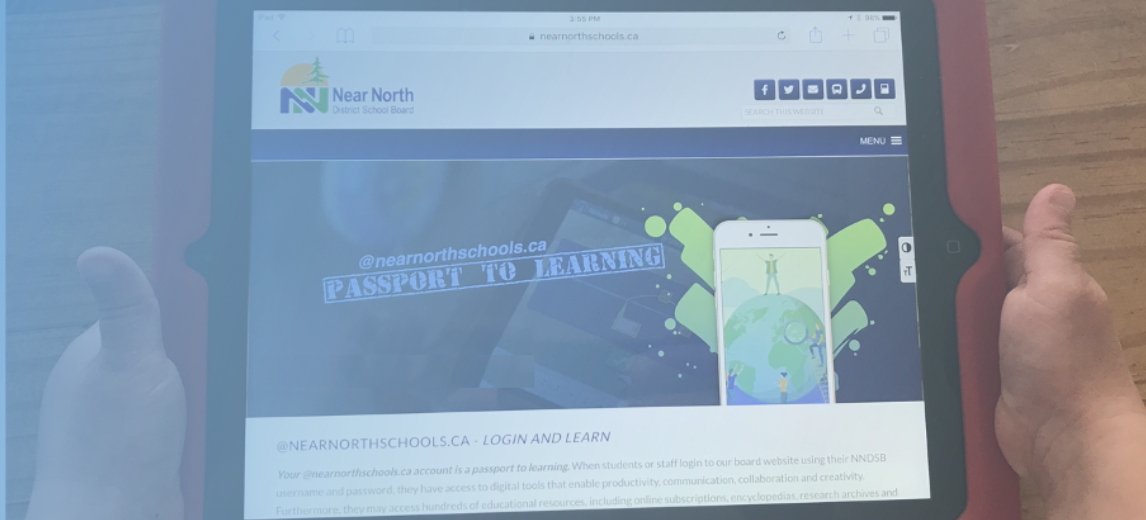
Clever: iPad Passport to Learning

Clever: iPad Passport to Learning

The Clever app allows students to connect to their teacher and district Clever Pages. Once logged in, students have access to all of their resources they will need for learning from home.

Logging In:

  • Locate and open the Clever app
  • Enter your NNDSB
  • Username and password
  • Sign in

NNDSB sign in

Access to all resources from one “Clever” location.

Clever app layout

Accessibility Features

iPad Accessibility

You say it. iPad types it.  Word to text microphone

Dictation lets you talk where you would type. You can reply to an email, search the web or write a report using just your voice. Navigate to any text field, activate Dictation, then say what you want to write. You can also use various editing and formatting commands. So you can turn on Dictation and tell your iPad to bold a paragraph, insert punctuation, delete a sentence or replace a word.

Click here to learn how to setup dictation on your iPad

Have your iPad speak text that’s on the screen

Tap and hold on some text (drag the blue handles to highlight a larger section) and and have your iPad read it out loud to you.  This feature works in a web browser, PDF and other applications that contain text.

Highlight words, select speak for Ipad to read it back to you

Click here to learn how to setup text-to-speech on your iPad

 

Accessibility setting

Login Launch Learn buttons

Platform-Specific Supports

Microsoft Office Support
Microsoft Teams

Joining a Teams Meeting Using the Teams iOS app:

You can join a Microsoft Teams meeting on your iPad by launching Teams and singing into the app.

Microsoft teams sign in

  1. Launch the Teams app and click Sign in
  2. Enter your NNDSB username including @nearnorthschools.ca and sign in with your NNDSB password
  3. Allow the app to access the Microphone
  4. Select the Calendar tab in the bottom menu:
  5. Click the meeting and select Join:

Learn More About Joining a Teams Meeting Using the iOS app

Accessing Office Online Applications

Accessing Microsoft Office Applications:

You can access Office applications (Word, Excel, OneNote, PowerPoint) online using the Office 365 link in Clever or by signing into the downloaded apps on the iPad.

Online through Clever:

Sign into Clever (see above) and select Office 365 from the Tools for Learning section:

Tools for learning: Office 365

  • From the list of apps, choose the One Drive icon (Cloud)
  • From One Drive you can create a new folder to stay organized and then select New > Word / PowerPoint / Excel / One Note

Creating a new folder


OneDrive: Creating and Sharing Files

Your OneDrive is an online storage space for your files.

Onedrive icon

Benefits of Using your OneDrive:

  • You have up to 1TB of space in your OneDrive
  • Files can be accessed from anywhere that has an internet connection
  • Files are easily shared with others
  • Online collaboration is easy with a shared document

Click this link to learn how to access your OneDrive, create files and share them

Accessing Downloaded Office Applications

Accessing Microsoft Office Applications:

You can access Office applications (Word, Excel, OneNote, PowerPoint) online through Office 365 (Chrome browser is recommended) or by signing into the downloaded apps on the MacBook.

Sign into the downloaded Office applications:

  • Open the Microsoft app on your iPad
  • Click the Sign-in button and enter your full last##@nearnortshools.ca
    (Replace ## with your day of birth)

Microsoft word NNDSB sign in

Save your work to your OneDrive:

Click the arrow in the top left corner and select your OneDrive – NNDSB:

Saving to Onedrive

Immersive Reader

Immersive Reader is a Microsoft Learning Tool that supports reading experience to increase readability of content in Word and OneNote documents.

Microsoft learning tool

Click this link to learn more:  Microsoft Immersive Reader

This video provides an overview of the Immersive Reader:

Immersive reader Microsoft learning tools

Office Lens

Office Lens

Office Lens

Office Lens is a scanner app that allows you to digitize notes, posters, story book pages, whiteboards, chalk boards etc. It also features character recognition technology and has the ability to capture text, export it to a word processing application or have it read aloud. With the new Immersive Reader, students can have text read back to them. Adjust speaking rate, font size and spacing within the app.

Text can also be exported to Word, OneNote, Powerpoint or Outlook. Documents can be saved as images in the camera roll or exported as PDF's. When selecting PDF as an export option, the file is automatically stored in an "Office Lens" folder that gets created in OneDrive.

Click here to learn how to scan text and have it read back through the immersive reader


Office 365 icon

Edsby

Edsby is a virtual learning platform that allows you to stay connected with what's going on in  class, view assessment information and submit work or upload images and videos of your learning.

Edsby Mobile App:

Download the Edsby app on android or iOS.

Apple Store Google Play Store

Edsby Capture:
Edsby capture allows you to take pictures of your work and upload them for your teacher to review.  When published, your photos will show up in your Learning Story.

Document - Learn how to download and use Edsby Capture

Learn More About the Mobile App:
Video: Edsby App

Learn How to Set Notifications:
Edsby Notifications

Learn How to Add to your Portfolio:
Edsby Porftolio for Students

Learn How to Submit Work Online:
Submitting Work Online

Learn How to Take an Online Test and View Results:
Edsby Online Testing


Brightspace LMS

The LMS is a virtual learning space where you can view lessons, upload work, participate in discussions and more.

The Pulse App: Stay Up-to-date on the Go!

Pulse helps you stay connected and on track with your Brightspace courses!  Download content for viewing offline.

Get it on Google Play Download on the Apple App Store

Learn more about the here.

Student Overview of the LMS:

Open LMS Student Overview video

See What's New in Your Class:
Video - LMS News Feed

Access Content and Lesson Material:
Video - LMS Content

Post and Reply to Discussions
Video - LMS Discussions

Submit Work Online Through the Dropbox and View Feedback
Video - LMS Dropbox

Complete Quizzes/Surveys in the LMS
Video - LMS Quizzes

Viewing and Posting to Your Brightspace Portfolio
Video - Brightspace Portfolio

Document - How to use the Brightspace Portfolio App

Keep up-to-date with Brightspace Notifications
How to Set LMS Notifications


Clever

Clever: iPad Passport to Learning

The Clever app allows students to connect to their teacher and district Clever Pages. Once logged in, students have access to all of their resources they will need for learning from home.

Logging In:

  • Locate and open the Clever app
  • Enter your NNDSB
  • Username and password
  • Sign in

Access to all resources from one “Clever” location.


Need Help with Your Device?

Please contact your teacher who will follow up with support

NNDSB Indigenous Education Logo

Biindigen

Mii gwi Anishinabek wewena nkenmaaminak dependajig maa kiing.
"We acknowledge in a good way, the original people of the land here"
We value the cultures, histories and relationships with the Indigenous Peoples of Turtle Island (North America)

Connect With Us

Near North District School Board
963 Airport Road, P.O. Box 3110, North Bay, ON P1B 8H1
[P] 705-472-8170   [TF] 1-800-278-4922   [F] 705-472-9927
MENUMENU
  • Contact Us
  • Find Your School
  • Parent Portal
  • ​Accessibility Standards


Copyright © 2026 · Near North District School Board